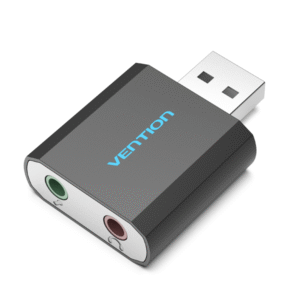
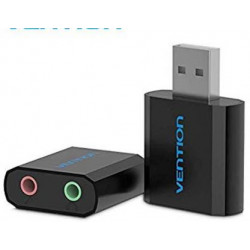
Audio Connectivity: The external sound card typically offers various audio input and output options, such as headphone/microphone jacks (3.5mm), line-in and line-out ports, and sometimes even optical or coaxial digital audio connections. These ports allow you to connect headphones, microphones, speakers, amplifiers, and other audio devices.
Audio Quality: Depending on the model, an external sound card can offer improved audio quality compared to the built-in sound card of a computer or device. This can result in clearer sound, better dynamic range, and reduced electronic interference.
Compatibility: External sound cards are often designed to work with a wide range of devices, including laptops, desktop computers, gaming consoles, and more. They can be particularly useful for devices with limited audio ports.
Additional Features: Some external sound cards might include features like volume control knobs, microphone mute buttons, virtual surround sound, and audio enhancement technologies.
USB Connection: The USB interface allows for easy plug-and-play installation. You simply connect the external sound card to an available USB port on your computer or device, and it is usually automatically recognized by the operating system.
Portability: Many external sound cards are compact and portable, making them convenient to use on the go or when connecting to different devices.
Noise Isolation: Some external sound cards offer better noise isolation and shielding compared to internal sound cards, which can help reduce interference and background noise.
Enables you to connect your existing phone or gaming headset with ONE 3.5mm aux TRRS plug (integrated audio OUT & microphone IN) to your PC or PS4 through a USB interface
Bypasses a faulty sound card or audio port of your computer to regain audio function so that you can avoid the hassle or save the high cost of replacing a failed sound card
Plug-N-Play – no driver required & USB bus-powered. Stays connected to a USB hub or dock to avoid repeated unplugging
Lightweight & Slim Size. Measured at 24 X 18 X 11mm/0.94 X 0.71 X 0.43″” and weighed at 5g
Please allow 1-3mm measuring deviation due to manual measurement
Buy at Best and Discounted prices in Nairobi kenya
Compatibility: Ensure that the adapter is compatible with your device's USB Type-C port and operating system (e.g., Windows, macOS, Linux, etc.).
Speed: Gigabit Ethernet provides higher data transfer speeds compared to standard Ethernet, so make sure the adapter supports Gigabit Ethernet (1000 Mbps) speeds.
Plug-and-Play: Look for adapters that are easy to set up and require no additional drivers or software installations.
Build Quality: Consider the build quality and durability of the adapter, as it may impact its longevity and performance.
Power Delivery: Some USB-C Ethernet adapters also support Power Delivery (PD), allowing you to charge your device while using the adapter.
LED Indicators: Some adapters have LED indicators to show network activity or connection status.
Cable Length: The length of the adapter's cable can impact where you can position your device in relation to the network connection.
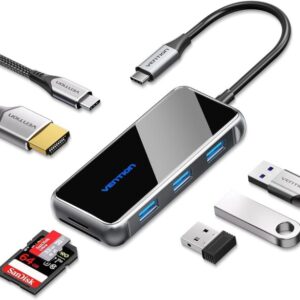
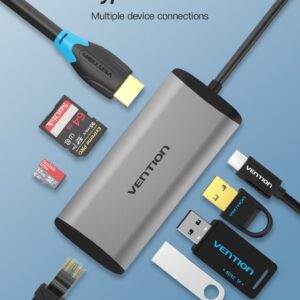
Compatibility: Ensure the hub is compatible with your device's USB Type-C port and operating system.
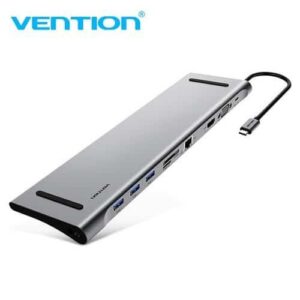
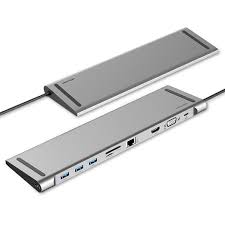
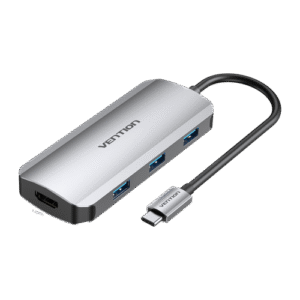
Ports and Features: Check the specific ports and functions offered by the hub to make sure they meet your needs.
Data Transfer Speed: If you plan to transfer large files or use high-speed peripherals, make sure the hub supports fast data transfer speeds (e.g., USB 3.0 or higher).
Build Quality: Consider the build quality, size, and durability of the hub.
Power Delivery: If you want to charge your device through the hub, ensure that the hub supports Power Delivery and provides sufficient power.


 Buy at Best and Discounted prices in Nairobi kenya




 No products in the cart.