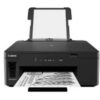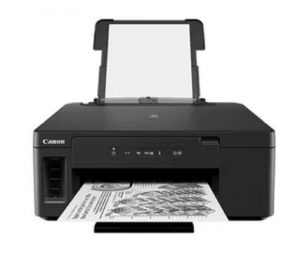
Canon Pixma GM2040 Printer Mall+254
Canon Pixma Gm2040 Printer, Low Cost Per Page High Yield Up To 18000, Black Pages, Smartphone Copy, Auto 2 Sided Print, Connectivity Smartphone And Tablet
Specifications and features |
|
| Product Code | CGM2040 |
| General Specifications | |
| Functions | Wi-Fi, Ethernet, Black & White Print |
| Printer Specifications | |
| Print Resolution | Up to 600 x 1200 dpi |
| Print Technology | 1 FINE Cartridges (Black) with Optional Colour Cartridge |
| Refillable ink tank printer | |
| Mono Print Speed | Approx. 13.0 ipm |
| Colour Print Speed (with optional colour cartridge) | Approx. 6.8 ipm |
| Two Sided Printing | Auto Duplex Print (A4, A5, B5, Letter – Plain Paper) |
| Cartridges And Yields | |
| Standard Ink Cartridges | GI-40 |
| Optional Colour Ink Cartridges | CL-441 |
| CL-441XL | |
| Cartridge Yield (Plain paper) | A4 monochrome documents printing |
| Black: 6,000 pages | |
| Colour (CL-441): 180 pages | |
| Colour (CL-441XL): 400 pages | |
| * Estimated supplemental yield | |
| Paper Support | |
| Paper Types | Plain Paper |
| High Resolution Paper (HR-101N) | |
| Envelope | |
| Maximum Paper Input | Rear Tray: Max. 100 sheets (plain paper) |
| Cassette: Max. 250 sheets (plain paper) | |
| Paper Sizes | Rear Tray: A4, A5, B5, LTR, LGL |
| Envelopes(DL, COM10), Card Size(91 x 55mm) | |
| [Custom size] width 55mm – 215.9 mm, length 89mm – 676mm | |
| Cassette: A4, A5, B5, LTR | |
| [Custom size] width 148.0 mm – 215.9 mm, length 210mm – 297mm | |
| Paper Weight | Rear Tray/Cassette: Plain paper: 64 – 105 g/m² |
| Interface | |
| Interface Type – PC / Mac | Hi-Speed USB (B Port) |
| Ethernet: 10/100Mbps (auto switchable) | |
| Wi-Fi: IEEE802.11 b/g/n | |
| Wi-Fi Security: WPA-PSK, WPA2-PSK, WEP, Administration password | |
| Wireless LAN Frequency Band: 2.4GHz | |
| Interface Type – Other | PIXMA Cloud Link |
| Canon PRINT Inkjet/SELPHY app | |
| Canon Print Service Plugin (Android) | |
| Wireless Direct | |
| Access Point Mode | |
| Software | |
| Supported Operating Systems | Windows 10, Windows 8.1, Windows 7 SP1 |
| Operation can only be guaranteed on a PC with pre-installed Windows 7 or later. | |
| Printer driver and IJ Network Device Setup Utility are available with following OS. | |
| Windows Server 2008 R2 SP1, Windows Server 2012 R2, Windows Server 2016 | |
| Supported Mobile Systems | iOS, Android (via Canon PRINT Inkjet/SELPHY app) |
| Minimum System Requirements | Windows: 2.0GB or more |
| Note: for bundled software installation. The necessary amount of hard disk space required. | |
| Display: 1024 x 768 XGA | |
| Software Included | Printer Driver |
| IJ Printer Assistant Tool | |
| Physical Features | |
| Weight | approx. 6.0kg |
| Dimensions (W x D x H) | approx. 403 x 369 x 166 mm |
| Acoustic Noise Levels | approx. 52.0dB(A) |
| Operating Temperature | 5-35°C |
| Operating Humidity | 10-90%RH (no dew condensation) |
| Power Source | AC 100-240V, 50/60Hz |
| Power Consumption | Off: Approx. 0.3W |
| Standby (connected to PC via USB): Approx. 0.8W | |
| Standby (all ports connected): Approx. 1.6W | |
| Time to enter Standby mode: 1min 29sec | |
| Printing (USB connection to PC): Approx. 13W | |
| Typical Electricity Consumption (TEC) | 0.1kWh |






 No products in the cart.